Alsoftia securely connects to every Google Ads and Meta Ads account you manage and turns scattered cost data into a single, always-fresh view of spend — per platform, per account, per campaign, per day.
Connect your ad accounts in under a minute · No credit card required
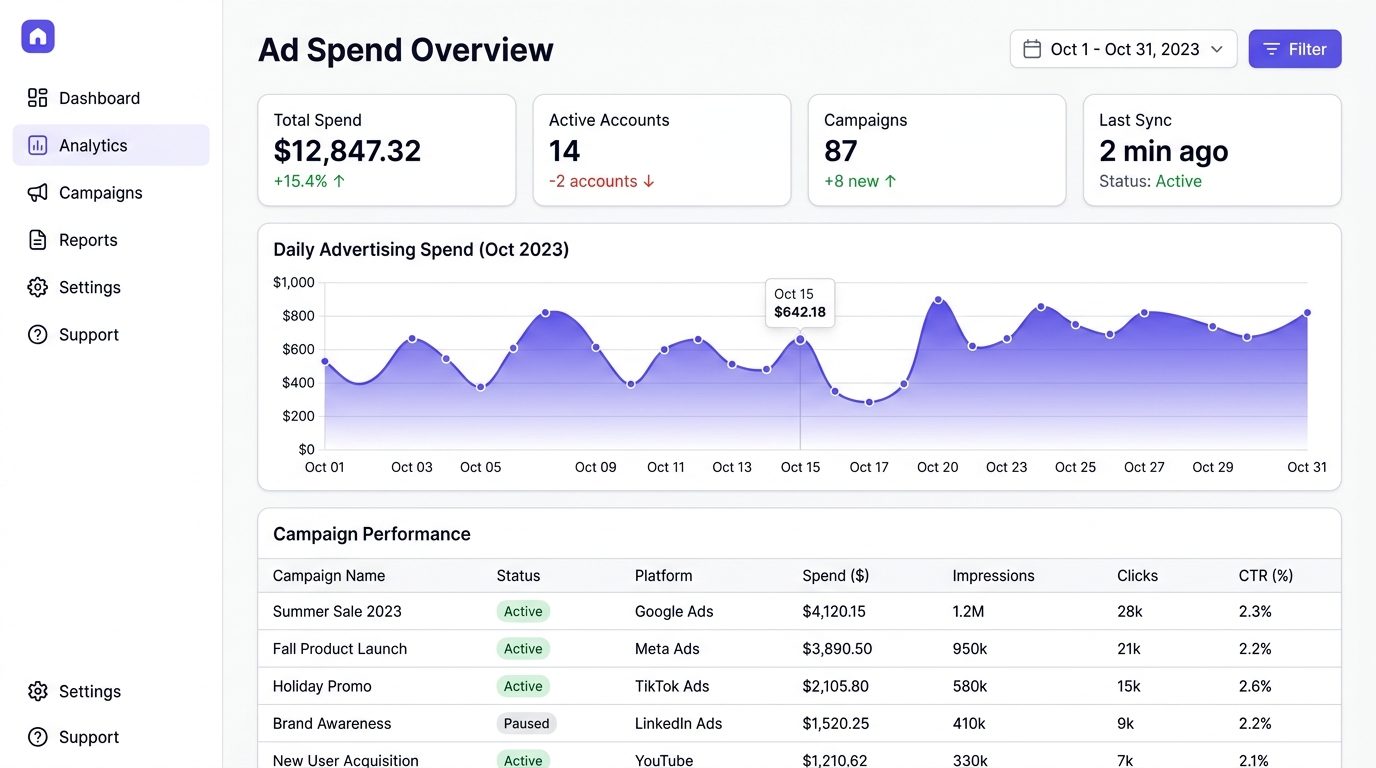
Agencies, media buyers and in-house teams lose hours stitching spend reports together. Alsoftia does it continuously, automatically.
Link every Google Ads account — direct accounts and manager (MCC) hierarchies — and every Meta Ads account under your Business Manager. Pick exactly which accounts to track.
Costs are pulled from the Google Ads and Meta Marketing APIs on a rolling schedule throughout the day, so today's numbers are never stale.
See spend by platform, account, campaign and day. Spot runaway campaigns before they burn budget, not after.
You sign in with Google and Meta OAuth — we never see your passwords. Access tokens are encrypted at rest and you can revoke access at any time.
Each account keeps its own currency, clearly labeled across the dashboard — no silent mixing of USD and BRL totals.
Your spend history lives in your workspace. Export it, plug it into your BI stack, or delete it — it's yours.
Click "Connect", sign in with the Google and Meta accounts that manage your ads, and grant read access via each platform's official OAuth consent screen.
Alsoftia lists every ad account you can access — including accounts under your MCCs and Meta Business Managers. Tick the ones you want to track.
Your dashboard fills with per-campaign, per-day cost data and keeps itself up to date automatically. That's it.
Alsoftia's use and transfer of information received from Google APIs adheres to the Google API Services User Data Policy, including the Limited Use requirements. Our use of Meta APIs complies with the Meta Platform Terms and Developer Policies.
We request only the minimum scopes needed to read your advertising cost data, and use it solely to provide the reporting features you see in your dashboard.
Read our Privacy Policy and Terms of Service.
Start free while we're in early access. Cancel anytime — your data exports with you.
No. You connect with your own Google and Meta accounts via OAuth, and Alsoftia reads the accounts you already have access to — including your own MCC hierarchies and Meta Business Managers. Nothing changes in how your accounts are owned or managed.
No. Alsoftia requests read access and uses it exclusively to fetch reporting data (cost, campaign names, dates). It never creates, edits or pauses anything in your accounts — on Google or on Meta.
Your account email (to identify your workspace) and advertising reporting data from Google Ads and Meta Ads: account names, campaign names, currencies, and cost metrics. See our Privacy Policy for the full details.
Two ways, both instant: remove the connection inside Alsoftia, or revoke Alsoftia's access from your Google Account permissions page or your Meta Business Integrations settings. You can also request full deletion of your stored data at any time.
Alsoftia re-syncs today's and yesterday's spend on a rolling schedule throughout the day (as fast as every 15 minutes depending on your plan), so intraday numbers stay accurate as Google and Meta update them.
Yes — during early access, all plans are free. Reach out at [email protected] and we'll set you up.

Connect your Google Ads and Meta Ads accounts and see every dollar in one place — in under a minute.
Tell us a bit about you and we'll set up your access.

We've received your request.
Our team will be in touch shortly at the email you provided.